On-device AI / No account / Works offline
One tap per set.
Just lift.
Musclebot gets your next set ready. Tap Log Set and it's saved, with Undo. Your workouts turn into records, insights and answers.
For iPhone with iOS 27, including iPhone Duo. No API key: the AI is built into your iPhone. Which iPhones?
01 / How it works
One tap. Next set.
A second between sets, and you never leave the Log tab.
Pick the exercise
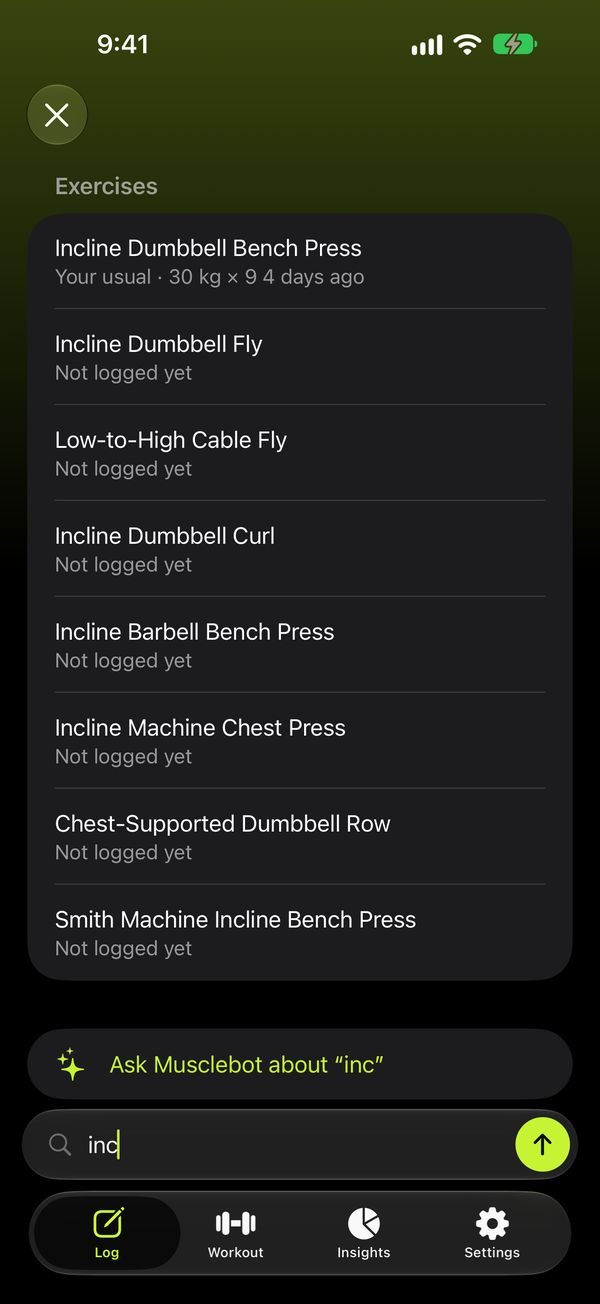
Start With suggests what you usually do for the muscles ready today. Or type a few letters in the search bar.
“inc” → Incline Dumbbell Bench Press
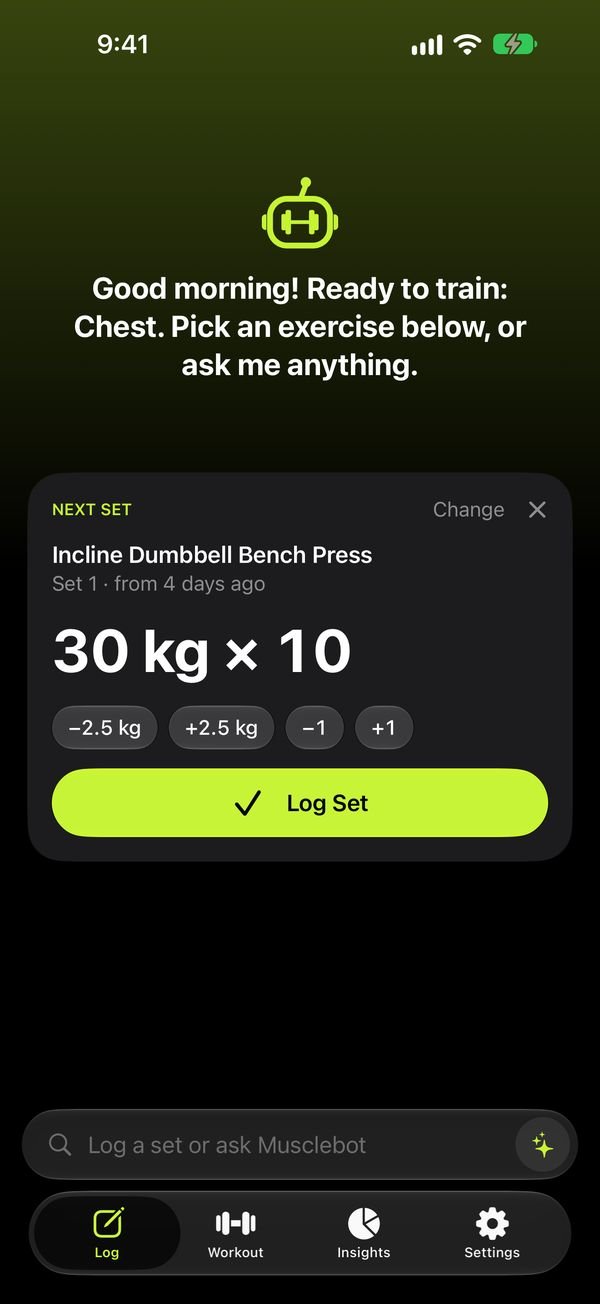
Tap Log Set
The Next Set card repeats your last set. Nudge it by 2.5 kg or one rep if today is different.
80 kg × 10 · Log Set
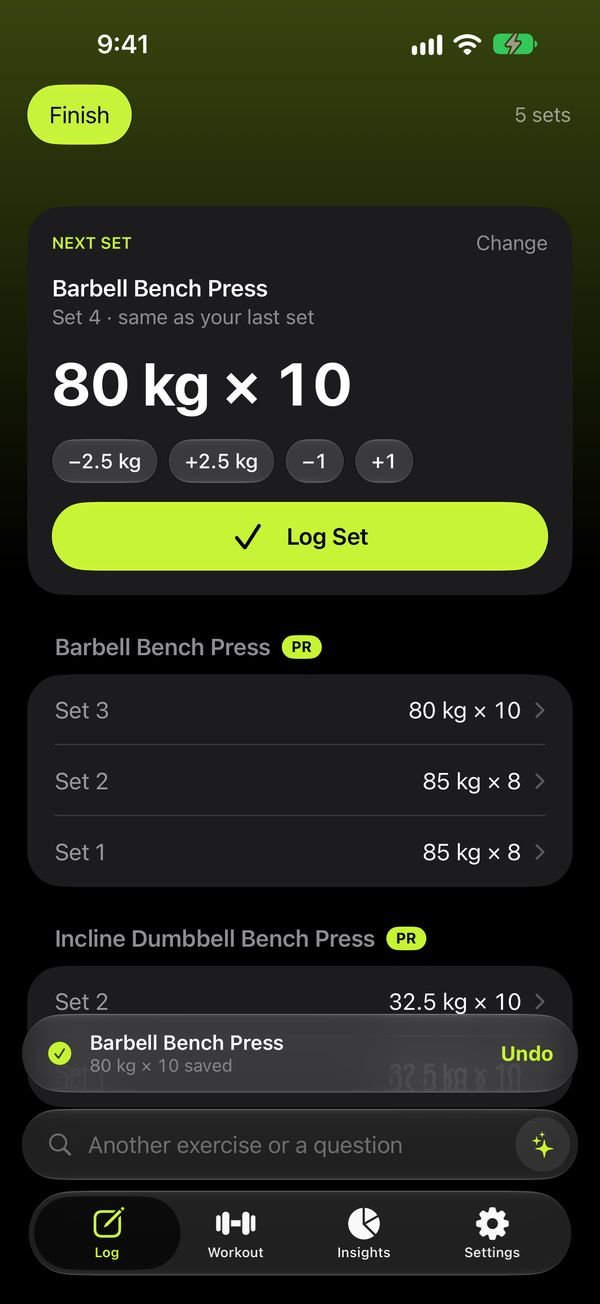
It's saved
Every set saves at once, with Undo. Tap a set to fix it. The next one is already waiting.
02 / Logging
However you log it.
Log Set
The Next Set card repeats your last set, so most sets take one tap. Change the weight by 2.5 kg or the reps by one first if you need to. Every set is saved at once, with Undo.
Search as you type
“inc”, “bp”, “rdl” or your own names. Typos are forgiven.
Type a whole set
“bench 80 kg 3x8” or “drop to 70, got 10, left shoulder felt off”.
Asks only if unsure
A new exercise or a missing weight opens a short form, the rest filled in.
Lock Screen
Your last set in the Live Activity. Log Same Again without opening the app.
146 exercises with the names lifters use, from “RDL” to “Pendlay row”. Add your own, and search finds them too.
03 / Ask Musclebot
Ask about your training.
Type a question. Musclebot answers from your own workouts, with the numbers behind each answer. Part of Musclebot Pro, with two sample questions free.
- Numbers from your data. Calculated by the app, then put into words.
- On topic. Your training, the gym and how to progress.
- Private. Answered on your iPhone, even offline.
04 / Workout summary
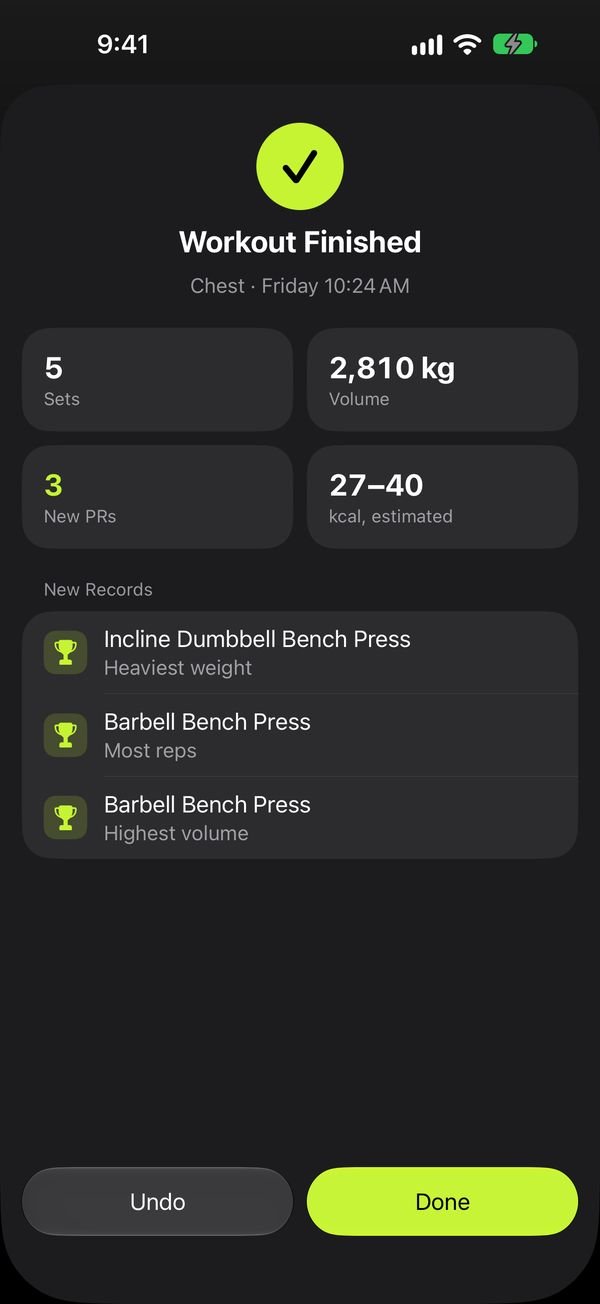
Finish with records.
While you train, you see your next set and the sets so far. Tap Finish, and the summary shows what the workout added up to.
- Sets, volume and calories, with calories estimated from your body weight as a range.
- New records spotted automatically: heaviest weight, most reps, highest volume.
- Estimated 1RM for every lift.
- Notes come back the next time you do that exercise.
05 / Insights · Pro
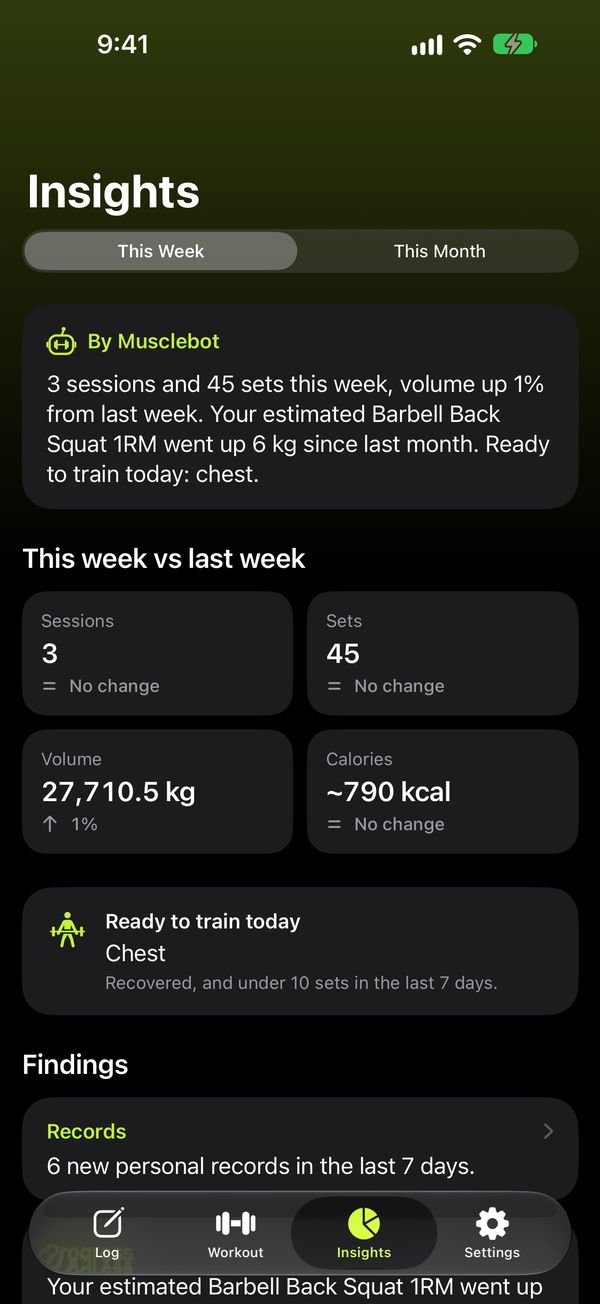
Your week, explained.
A short weekly report written on your iPhone, plus the numbers that help you progress. Part of Musclebot Pro.
- This week or this month against the one before.
- Ready Today: the muscles that have recovered and could use more sets.
- Volume trend and main lifts, so you see progress and plateaus.
- Every insight links to the sets behind it.
06 / Muscles & lifts
Every muscle. Every lift.
Sets per muscle, every week
Against the 10–20 set range most lifters aim for. Secondary muscles count as half a set.
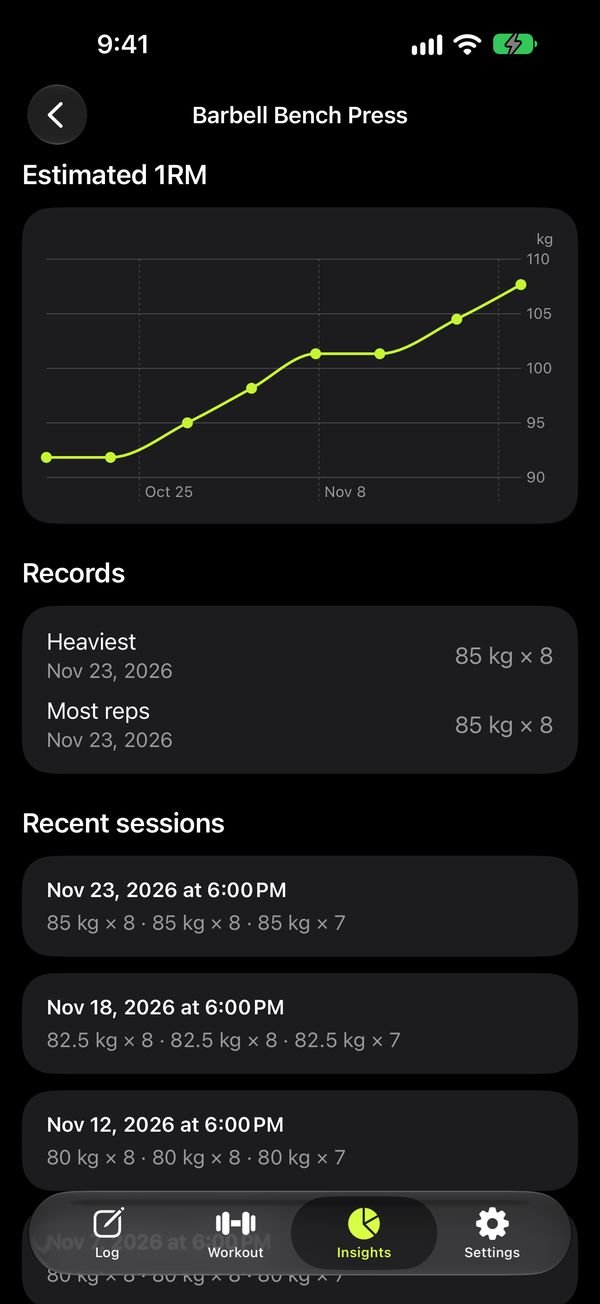
Every lift's history
Estimated 1RM over time, your records and every session.
07 / Privacy
Your workouts stay yours.
App Store privacy label: Data Not Collected. No account, no servers, no tracking.
- On device. Apple Intelligence runs on your iPhone. No cloud AI, no API keys.
- Your iCloud. Workouts sync through your private iCloud, which we can't access, so they follow you to your next iPhone.
- Offline. Log, ask and see insights in a basement gym with no signal.
- No ads, no analytics, no third-party code in the app.
- Yours to take. Export every set as a spreadsheet (CSV) any time.
08 / Made for iPhone
Built into your iPhone.
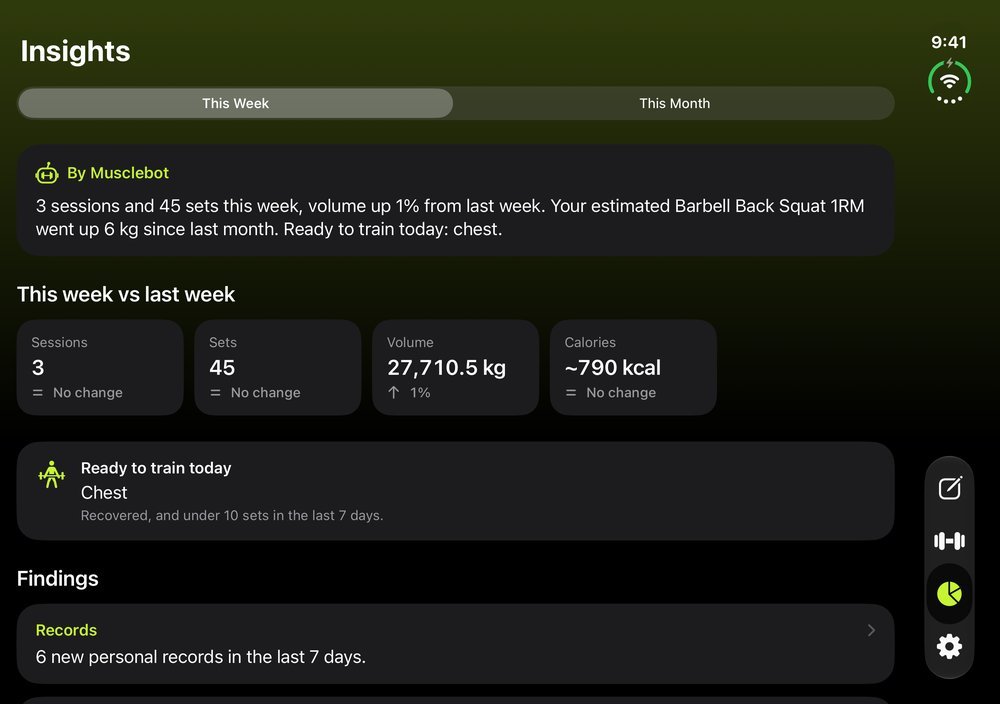
Ready for iPhone Duo
The outer display works like any iPhone. Open it up, and Musclebot fills the inner display, with the tab bar along the side and text in a comfortable width.
Live Activity
Your last set on the Lock Screen and in the Dynamic Island, with Log Same Again and Finish.
Action Button
Put Log Same Again or Open Log on the Action Button, or use them in Shortcuts.
Apple Health
Save workouts to Health and read your body weight. Optional.
Units and text size
kg or lb with your region's decimals, and a text size you can read mid-set.
09 / Pricing
Logging is free.
Log every workout for free, with no limit. Musclebot Pro adds Insights and Ask Musclebot.
Free
Unlimited logging, history, records and metrics.
Monthly
Insights and Ask Musclebot.
Yearly
Insights and Ask Musclebot, about 16% less than monthly.
Lifetime
Insights and Ask Musclebot, paid once.
Prices in US dollars; the App Store shows your local price. Subscriptions renew automatically until cancelled in your Apple Account settings. Your workouts, history and records stay free if you cancel.
10 / FAQ
Questions, answered.
Which iPhones does Musclebot work on?
Musclebot needs iOS 27 and runs on iPhone, including iPhone Duo, where it fills both the outer and the inner display. Sets typed in natural words like “drop to 70, got 10”, the written reports and Ask Musclebot need an iPhone with Apple Intelligence; Log Set, search and simple sets like “bench 80 kg 3x8” work on every supported iPhone.
Can I log without opening the app?
Yes. During a workout, the Live Activity on your Lock Screen shows your last set with Log Same Again and Finish. You can also put Log Same Again on the Action Button.
Do I need an account?
No. There's nothing to sign up for.
Do I need an internet connection?
No. Logging, insights and Ask Musclebot all run on your iPhone. Only the optional iCloud sync uses the internet, and it catches up when you're back online.
What happens when I get a new iPhone?
Your workouts come with you. Musclebot keeps them in your own private iCloud, so they appear on your new iPhone when you sign in with the same Apple Account, along with your unit and body weight.
Can I type a whole set?
Yes. Type it in the search bar at the bottom of the Log tab, like “bench 80 kg 3x8” or “drop to 70, got 10, left shoulder felt off”. A short review form opens only when Musclebot is unsure.
How much does it cost?
Logging, history, records and metrics are free, with no limit. Musclebot Pro adds Insights and Ask Musclebot for $1.99 a month, $19.99 a year, or $69.99 once.
How do I get help?
Visit Support or email support@musclebot.fit. A real person will reply.
Stop writing.
Start lifting.
Download Musclebot and log your next set in one tap.